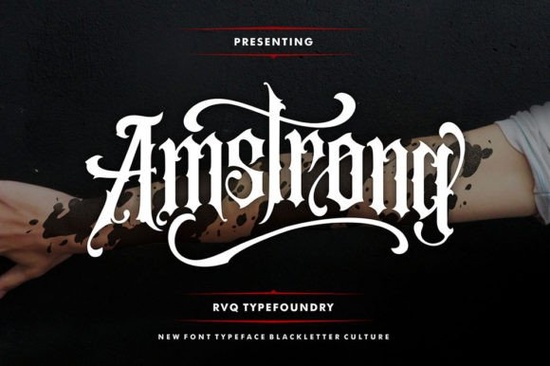
If you're looking for a blackletter font that feels both timeless and fresh something with vintage charm but clean enough for modern branding Amstrong Font fits right in. It’s not overly ornate like traditional Gothic scripts, nor too minimal to lose its character. Instead, it walks a thoughtful line: elegant, legible, and quietly confident. Whether you're designing wedding stationery, hand-lettered quotes for social media, or merch for a boutique shop, Amstrong adds quiet sophistication without demanding attention.
What makes Amstrong different from other blackletter fonts?
Most blackletter typefaces lean heavily into historical accuracy or, conversely, into exaggerated drama. Amstrong avoids both extremes. Its letterforms have subtle contrast, soft terminals, and carefully balanced spacing. That means it works well at small sizes (like on product tags or business cards) and holds up beautifully large (think wall art or signage). The uppercase letters carry weight and presence, while the lowercase glyphs add rhythm and personality especially when mixed with the included alternates and swashes.
Because it’s PUA encoded, every extra glyph including ligatures, stylistic alternates, and decorative flourishes is easy to access in design apps like Adobe Illustrator, Affinity Designer, or even Cricut Design Space (via the web app). No need to hunt through character maps or install separate OTF files. Just type, then swap in alternatives using the Glyphs panel.
Where does Amstrong work best?
It shines in contexts where authenticity and craftsmanship matter:
- Wedding & event design: invitations, menus, and signage benefit from its refined, romantic tone
- Small business branding: coffee shops, apothecaries, bookshops, or artisanal goods places where “handmade” and “thoughtful” are part of the story
- Print-on-demand products: mugs, tote bags, and framed prints gain visual interest without feeling dated
- Digital content: Instagram quote graphics, Pinterest pins, or email headers where texture and warmth help your message stand out
You’ll notice it pairs especially well with simple sans-serifs (like Montserrat or Lato) for contrast, or with textured backgrounds and muted palettes. It’s also flexible enough to sit alongside other blackletter styles like Old Victorian Vol. 2, which leans more theatrical, or Black Jaguar, which has sharper, bolder strokes. Using them together thoughtfully say, Amstrong for headlines and Black Jaguar for short accents adds depth without visual clutter.
How to get the most out of Amstrong’s features
Start by typing your word or phrase in all caps. Then go back and replace select uppercase letters with their lowercase or alternate versions especially at the beginning or end of words. Try swapping an “A” for the swash version, or use the “&” ligature instead of typing “and.” These small shifts make a real difference in flow and elegance.
Don’t forget the Amstrong Font page includes usage tips and sample layouts helpful if you’re new to blackletter or want inspiration for pairing. And because it’s designed for real-world use, it comes with both OTF and TTF files, plus a PDF guide showing glyph locations and recommended combinations.
Is Amstrong suitable for beginners?
Yes if you’re comfortable typing and selecting characters in your design software. You don’t need advanced typography knowledge to start. In fact, many crafters and POD sellers tell us they began with Amstrong because it felt intuitive: no complex OpenType features to learn, just clear, accessible options. If you’ve used fonts like Amstrong Font, Old Victorian Vol. 2 Font, or Black Jaguar Font, you’ll recognize the same thoughtful file structure and support.
That said, it helps to test before committing try it on a mockup of your most common project (e.g., a t-shirt design or greeting card), check readability at intended size, and preview how it renders on screen vs. print. Small adjustments kerning between capitals, or choosing one swash over another often make the biggest impact.
Before you download or license Amstrong Font, try this quick checklist:
- Open your design tool and test a short phrase using only uppercase letters
- Swap in 2–3 lowercase or alternate glyphs to see how rhythm changes
- Preview at the size you’ll actually use it (e.g., 24pt for a mug, 72pt for a poster)
- Check contrast against your background color some blackletter fonts fade on dark or busy textures
- Save your favorite combination as a style or template for future projects
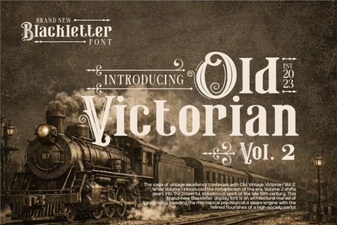 Old Victorian Vol 2: Creative Font Uses
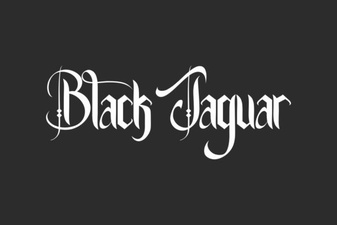 Black Jaguar Font: Design and Creative Applications
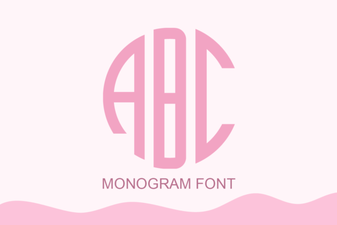 Personal Monograms: Fonts for Crafting Your Signature Symbol
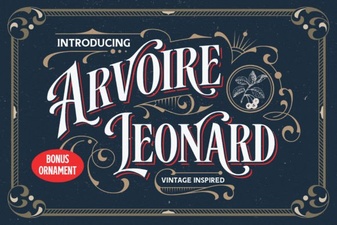 Leonard Arvoire Font for Creative Projects
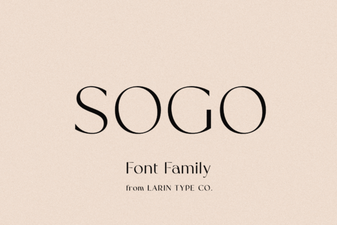 Sogo Font: Creative Uses and Design Ideas
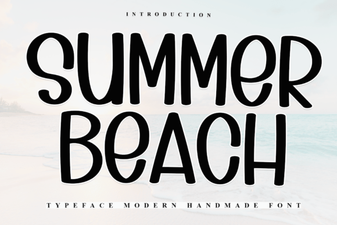 Best Summer Beach Fonts for Your Design Projects