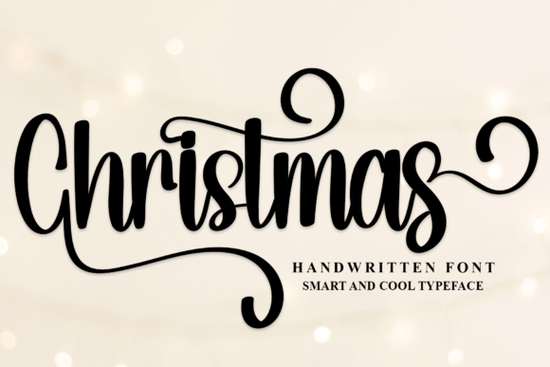
If you're looking for a Christmas font that feels both warm and polished something that works just as well on handmade gift tags as it does on digital holiday cards you’ll appreciate how balanced and readable Christmas is. It’s a stylish handwritten font with a contemporary atmosphere, rooted in classic calligraphy but designed for real-world use. You won’t need to wrestle with inconsistent spacing or awkward letter connections the forms are thoughtfully balanced, and the variation between characters keeps things lively without sacrificing clarity.
What makes this font easy to use?
One of the most practical features is that it’s PUA encoded. That means all the alternate glyphs, swashes, and ligatures show up right where you expect them in your font menu or glyph panel without needing special software tricks or OpenType feature toggles. If you’ve ever spent 20 minutes trying to find a particular flourish in another script font, you’ll notice the difference right away.
This also helps when working across platforms. Whether you’re using Canva, Adobe Illustrator, Cricut Design Space, or Silhouette Studio, the extras stay accessible and consistent. No more copying and pasting from a PDF cheat sheet just to get the right ampersand or initial capital.
Where does it work best?
Christmas shines in projects where personality matters but professionalism still counts. Think: holiday-themed shop banners, printable advent calendars, custom mugs or tote bags, and even small-batch greeting card designs. Because it’s not overly ornate, it pairs well with clean sans-serif fonts for contrast or stands confidently on its own against simple backgrounds.
It’s especially handy if you sell on print-on-demand platforms like Redbubble or Etsy. You can create mockups quickly, and the font scales cleanly from tiny ornament labels to large wall art prints. Crafters who cut vinyl or paper with machines like the Cricut Maker or Silhouette Cameo will appreciate how smoothly the outlines convert no jagged edges or disconnected paths.
How does it compare to other script fonts?
Unlike some script fonts that lean heavily into whimsy or dramatic flair, Christmas stays grounded. It has presence, but not pretension. For example, Gloomy Unseen Font offers moody, expressive contrast great for gothic or vintage holiday themes but might feel too intense for cheerful family newsletters. Sunday Font leans softer and more relaxed, while Partly Notes Font brings subtle musical charm. And if you’re planning ahead for early-year celebrations, the elegant flow of Wedding Font shares some of the same refined handwriting DNA just with a different seasonal focus.
You’ll also find it fits naturally alongside other seasonal fonts like Christmas Font Script Fonts, which bundles complementary options for layered text effects or themed collections.
Who’s it really for?
This isn’t just for designers with years of typography training. Small business owners who update their social media graphics themselves, hobbyists making ornaments for local markets, teachers preparing classroom decorations, or even parents designing personalized stockings all get clear value. The learning curve is low, but the results look intentional and considered.
It’s also compatible with common file formats (.OTF, .TTF, and sometimes .WOFF for web use), so whether you’re prepping files for a local printer or uploading to an online storefront, you won’t hit compatibility roadblocks.
A few things to keep in mind before downloading
- Check your software’s support for PUA-encoded fonts if you’re using older versions of some programs, you may need to access alternates via the Glyphs panel instead of typing shortcuts.
- For best legibility at small sizes (like 10–12 pt), stick to the standard character set save flourishes and swashes for headlines or larger displays.
- Pair it with a neutral sans-serif (like Montserrat or Lato) when building multi-line layouts this keeps hierarchy clear without competing styles.
- Always test how it renders on screen and in print. Some script fonts look smoother on monitors than on physical paper, especially with lower-resolution printers.
If you’ve already got a holiday project in mind or even just a rough idea scribbled in a notebook try opening your design tool, installing Christmas, and typing out a simple phrase like “Merry & Bright” or “Joy to the World.” See how the letters connect, how the rhythm feels, and whether it matches the tone you want to send. That quick test often tells you more than any description ever could.
Learn More Best Summer Beach Fonts for Your Design Projects
 Choosing Fonts for Your Wedding Projects
 Charlie Script Font: Elegant Handwritten Designs for Your Projects
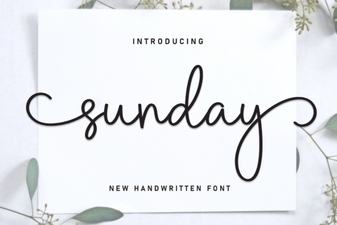 Sunday Fonts for Inspiring Design Projects
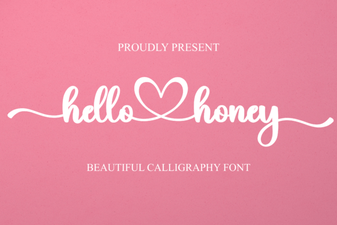 Hello Honey Font for Creative Projects & Beautiful Designs
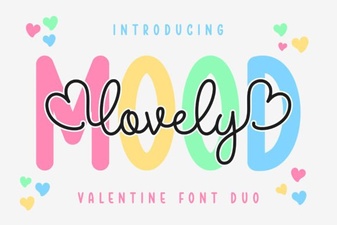 Lovely Mood Duo Font: a Designer's Creative Toolkit